 Smthing Creations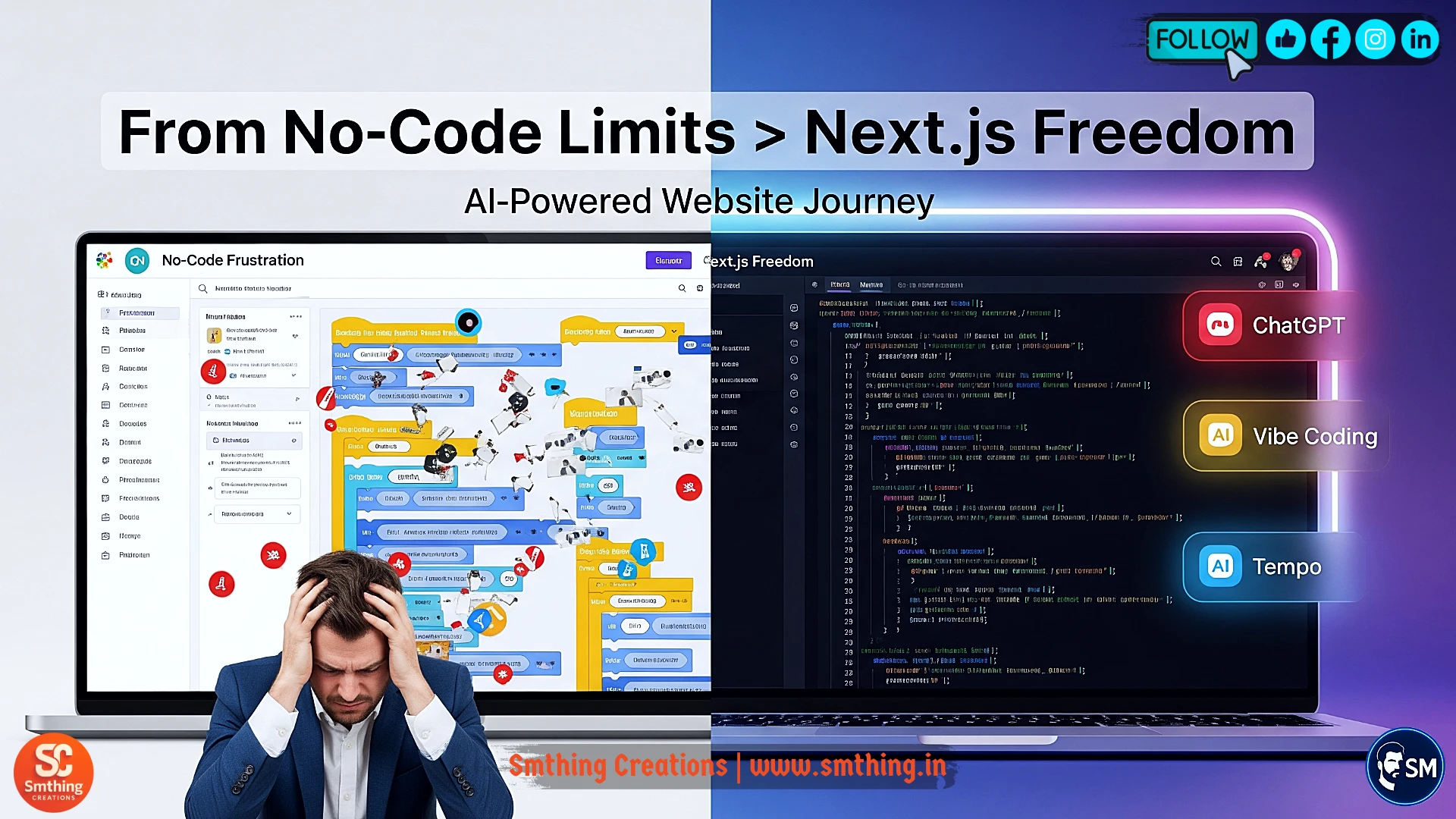
Why 2025 Is the Breaking Point for No Code Platforms
Picture this scenario that happens to thousands of website builders every day. You've spent countless hours carefully dragging and dropping elements in popular no-code platforms like Webflow or Bubble, creating what seems like the perfect website. Everything looks great in the builder interface, and you're feeling proud of your creation. Then reality hits hard when you realize your beautiful site looks exactly like hundreds of other websites using the same templates and components. The uniqueness you thought you had achieved disappears completely when you see identical layouts, color schemes, and functionality across the internet.
The frustration doesn't stop there, and this is where many entrepreneurs and freelancers start questioning their platform choice. You decide to add a simple contact form to improve user engagement, but the platform's built-in form builder lacks the specific features your business needs. So you try embedding third-party plugins and integrations, spending hours trying to make them work properly. Just when everything seems to function correctly on the desktop, you test on mobile devices and discover that your carefully crafted layout breaks completely. Buttons don't work, forms submit incorrectly, and the entire user experience falls apart on the devices that most of your visitors actually use.
Perhaps the most devastating realization comes when you start focusing on search engine optimization and organic traffic growth. You watch helplessly as your website's Google rankings drop month after month, despite having great content and following SEO best practices. The problem isn't your content or marketing strategy - it's the fundamental limitations of no-code platforms when it comes to server-side rendering, page speed optimization, and technical SEO requirements. These platforms simply cannot compete with custom-coded solutions when it comes to the technical performance that search engines prioritize in their ranking algorithms.
This isn't your fault, and you shouldn't feel discouraged about these limitations. No-code tools serve an important purpose and are absolutely fantastic for creating quick prototypes, testing business ideas, and getting simple websites online fast. Think of them as training wheels on a bicycle - they provide stability and confidence when you're learning, but eventually you need to remove them to achieve true freedom and speed. The year 2025 has brought us incredible artificial intelligence tools that bridge the gap between "I can't code at all" and "I need to spend years becoming a programming expert." Let me show you exactly how this transformation works and how you can make the leap successfully.
My Personal Journey from No Code Disaster to AI-Powered Success
Three years ago, I experienced a business disaster that completely changed my perspective on website development and client relationships. I had built what seemed like a perfect e-commerce website for a growing retail client using one of the most popular no-code platforms available at the time. The initial development went smoothly, and the client was thrilled with how quickly we could iterate on design changes and add new product pages. Everything worked beautifully during the testing phase, and we launched the site with confidence and excitement about the future possibilities.
The problems started about three months after launch when the client's business began experiencing rapid growth and success. They approached me with what seemed like a reasonable request - they wanted to implement a custom loyalty program that would reward repeat customers with points and special discounts. This type of feature is standard for most successful e-commerce businesses, and I assured them it would be no problem to implement. However, I quickly discovered that the no-code platform had no built-in loyalty program functionality, and creating one would require complex workarounds and third-party integrations.
What followed was two weeks of frustration as I tried to create a makeshift solution using Zapier automations, multiple third-party services, and complicated webhook configurations. The system I eventually created was fragile, slow, and required constant monitoring to prevent failures. During the client's biggest holiday sale of the year, when traffic spiked and the loyalty program was being heavily used, the entire system crashed. Customers couldn't complete purchases, loyalty points weren't being calculated correctly, and the client lost thousands of dollars in sales during their most important revenue period.
The aftermath of that disaster became my turning point and taught me valuable lessons about the limitations of no-code solutions for serious business applications. I lost the client, who rightfully felt that I had promised capabilities that the platform couldn't deliver reliably. More importantly, I realized that I needed to develop real technical skills if I wanted to build sustainable, scalable solutions for growing businesses. However, instead of enrolling in expensive coding bootcamps or spending years learning traditional programming, I discovered the emerging world of AI-powered development tools that could accelerate the learning process dramatically.
The Revolutionary AI Development Stack That Changed Everything
ChatGPT: Your Personal Senior Developer Available 24/7
The first tool that completely transformed my development capabilities was ChatGPT, and I quickly realized it was much more than just a chatbot for writing code snippets. Think of ChatGPT as having access to a patient, knowledgeable senior developer who never gets tired of answering questions and explaining complex concepts in simple terms. Unlike human mentors who might be busy or unavailable when you need help, ChatGPT provides instant assistance at any hour of the day or night. More importantly, it doesn't just write code for you - it explains the reasoning behind every solution and helps you understand the underlying principles.
Here's a practical example that demonstrates the power of this approach. Let's say you need to create a responsive hero section with a gradient background for your website's homepage. Instead of searching through dozens of tutorials or trying to piece together code from different sources, you simply provide ChatGPT with a clear description of what you want to achieve. Your prompt might be: "Generate a Next.js hero section component using Tailwind CSS. Include a compelling headline, descriptive subtext, and a call-to-action button. Make it fully responsive and add a subtle gradient background. Please explain how each part works."
Within seconds, ChatGPT provides clean, production-ready React code that you can use immediately. But the real value comes from the detailed explanations that accompany the code. The AI explains how Tailwind's gradient classes work, why certain responsive breakpoints were chosen, and how to modify the component for different design needs. This educational approach means you're not blindly copying code - you're actually learning web development principles while building real projects that solve actual business problems.
Vibe Coding: Visual Design That Generates Real Code
The second breakthrough tool in my AI development stack is Vibe Coding, which solved one of the biggest problems with traditional no-code platforms - vendor lock-in and code ownership. Most no-code tools trap your work within their proprietary systems, making it impossible to export your designs as real code that you can own and modify freely. Vibe Coding takes a completely different approach by allowing you to design visually using an intuitive drag-and-drop interface, while simultaneously generating clean, standard React code that belongs to you completely.
The workflow is beautifully simple and efficient. You drag interface elements like buttons, forms, and navigation menus onto a visual canvas, just like you would in Figma or any other design tool. However, instead of creating static mockups, you're actually building functional components with real code behind them. You can customize colors, spacing, typography, and layout using visual controls, and Vibe Coding translates every design decision into proper CSS and React code. When you're satisfied with your design, you simply click "Export" to download all the files you need.
What makes this revolutionary is the direct connection between visual design choices and the underlying code structure. You can see exactly how changing a button's padding translates to specific CSS classes, or how adjusting a layout affects the React component structure. This transparency helps bridge the gap between design thinking and development implementation. You're not just creating pretty interfaces - you're learning how professional developers structure and organize their code while building real projects that you can deploy anywhere.
Tempo: The Project Organization Master
The third essential tool in my AI development workflow is Tempo, which addresses one of the most common problems that derail development projects - poor code organization and project management. Anyone who has worked on complex websites knows the frustration of opening a project folder and finding fifty randomly named components scattered across unclear directory structures. This chaos makes it nearly impossible to find specific files, update functionality, or maintain the codebase over time. Tempo acts like a professional project architect that automatically organizes everything according to industry best practices.
Tempo's intelligent organization system automatically groups related files into logical folders and structures. For example, all navigation-related components go into a dedicated navbar folder, while styling files are organized by their purpose and scope. The tool goes beyond simple file organization by analyzing your entire codebase for inefficiencies and potential improvements. It flags unused CSS rules that are bloating your files, identifies opportunities to create reusable components, and suggests better naming conventions for improved maintainability.
The real-world impact of proper project organization cannot be overstated. Last month, I built a comprehensive SaaS dashboard with over thirty different pages and hundreds of individual components. Without proper organization, this project would have become an unmaintainable nightmare within days. Tempo's automated organization and optimization suggestions reduced my development time by approximately forty percent by preventing the typical chaos and technical debt that accumulates in complex projects. The tool essentially gives you the organizational discipline of a senior developer without requiring years of experience.
Why Next.js Became My Framework of Choice
After experimenting with various web development frameworks and approaches, Next.js emerged as the clear winner for building professional websites in 2025. This isn't just another trendy JavaScript framework - it's become the backbone of modern web development for very practical reasons that directly impact your website's success. The most important advantage is Next.js's superior search engine optimization capabilities through built-in server-side rendering. While no-code platforms struggle to generate the proper HTML structure that search engines need to index and rank your content effectively, Next.js handles this automatically and efficiently.
Performance is another critical advantage that sets Next.js apart from traditional website building approaches. The framework includes automatic code splitting, which means your website loads only the JavaScript and CSS needed for each specific page. This results in dramatically faster loading times compared to monolithic no-code platforms that load everything at once. My Next.js websites consistently achieve PageSpeed Insights scores above ninety-five, which directly correlates to better search engine rankings and improved user experience metrics.
The integration capabilities of Next.js provide unlimited possibilities for adding advanced functionality to your websites. Whether you need to connect payment processing through Stripe, implement user authentication with Auth0, or add AI-powered features using OpenAI's APIs, Next.js makes these integrations straightforward and reliable. Unlike no-code platforms that limit you to their approved integration list, Next.js gives you the freedom to connect with any service or API that your business requires. This flexibility becomes increasingly important as your websites grow more sophisticated and your business needs evolve.
The synergy between Next.js and AI development tools creates an incredibly powerful combination for rapid website development. You can use ChatGPT to generate API routes and server-side functions, then seamlessly integrate them into your Next.js application structure. Claude can help design database schemas and backend logic, while Tempo ensures everything remains organized and maintainable. This AI-assisted approach to Next.js development allows you to build enterprise-grade websites without needing years of traditional programming education.
My Complete 5-Step Development Process
Step 1: Strategic Planning with ChatGPT
Every successful website project begins with thorough planning and strategic thinking, but most people struggle with knowing what questions to ask or how to structure their ideas effectively. This is where ChatGPT becomes invaluable as a strategic planning partner that can help transform vague concepts into actionable development plans. The key is learning how to prompt the AI effectively to get comprehensive, useful guidance rather than generic advice that could apply to any project.
For example, if you're planning to build a fitness coaching website, you might start with a prompt like: "I'm creating a website for personal fitness coaching services. Please provide a detailed analysis including six essential pages I should include, three must-have features that will be important in 2025, and a logical sitemap structure that will help with SEO and user experience. Also explain the reasoning behind each recommendation." This type of detailed prompt gets you much more valuable information than simply asking "How do I build a fitness website?"
ChatGPT's response to this strategic planning prompt will typically include comprehensive page recommendations like Home, Training Programs, Success Stories, Educational Blog, About the Coach, and Contact Information. The AI will explain why each page is essential and how they work together to build trust and convert visitors into clients. For features, you might receive suggestions like live workout scheduling integration, AI-powered progress tracking, and dark mode support, along with explanations of why these features will matter to your target audience in 2025.
The most valuable part of this planning phase is asking follow-up questions that help you avoid common mistakes and optimize your approach from the beginning. Prompts like "What common mistakes should I avoid when building a fitness coaching website?" or "How can I structure my content to rank well in search engines?" provide insights that could save you months of trial and error. Spending thirty to sixty minutes in this strategic planning phase with ChatGPT as your consultant sets the foundation for a much more successful development process.
Step 2: Visual Prototyping with Vibe Coding
Once you have a clear strategic plan from your ChatGPT consultation, the next step involves bringing your ideas to life through visual prototyping using Vibe Coding's intuitive design interface. This phase typically takes about two hours for a standard business website and allows you to experiment with different layout ideas and design approaches without writing any code manually. The beauty of this process is that you're designing like you would in Figma or other visual design tools, but every element you place automatically generates production-ready React code behind the scenes.
Start by dragging essential components like hero sections, pricing grids, testimonial carousels, and FAQ accordions onto your design canvas. Vibe Coding's component library includes professionally designed elements that you can customize to match your brand colors, fonts, and overall aesthetic preferences. As you adjust padding, margins, colors, and typography, you can see the changes reflected immediately in both the visual design and the underlying code structure. This real-time feedback helps you understand the relationship between design decisions and code implementation.
The AI assistant built into Vibe Coding becomes particularly valuable when you need to make your designs responsive for different device sizes. Instead of manually adjusting breakpoints and media queries, you can simply ask the AI: "Make this pricing grid responsive for mobile devices with a single-column layout" or "Ensure this navigation menu collapses into a hamburger menu on tablets." The AI handles the technical implementation while you focus on the user experience and visual design aspects.
At the end of this prototyping phase, you export all your components as clean, organized React files that include proper styling and responsive behavior. These aren't just static mockups - they're functional components that you can immediately use in your Next.js project. This approach eliminates the traditional gap between design and development phases, allowing you to move from concept to working prototype in a matter of hours rather than days or weeks.
Step 3: Project Organization with Tempo
Before diving into the actual development work, taking time to organize your project files and structure using Tempo will save you countless hours of frustration later in the process. This organizational step might seem unnecessary when you're excited to start building, but proper project structure is what separates professional development from amateur efforts that become unmaintainable over time. Upload all the React components and design files you exported from Vibe Coding, and let Tempo work its organizational magic.
Tempo automatically analyzes your files and creates a logical folder structure that follows Next.js best practices and industry standards. Components get sorted into appropriate directories, styling files are organized by scope and purpose, and utility functions are grouped logically. This automatic organization ensures that you can find any file quickly, even months later when you need to make updates or modifications. The tool also creates consistent naming conventions that make your codebase more professional and easier to maintain.
The AI audit tool within Tempo provides incredibly valuable feedback that can prevent problems before they become serious issues. Run the audit to identify broken internal links, unused CSS rules that are bloating your files, missing image alt tags that hurt accessibility, and other technical issues that could impact your website's performance and search engine optimization. I've had Tempo catch critical oversights like an unlinked pricing page that would have been forgotten until launch day, potentially costing valuable customer conversions.
During this organization phase, take advantage of Tempo's component analysis features to identify opportunities for creating reusable elements. For example, if you have similar button styles used throughout your site, Tempo will suggest creating a shared button component that can be used consistently everywhere. This approach reduces code duplication, makes updates easier, and creates a more professional, cohesive user experience across your entire website.
Step 4: Next.js Development and Integration
With your project properly planned and organized, you're ready to begin the actual Next.js development work that will transform your prototypes into a fully functional, professional website. Start by creating a new Next.js project using the command line interface, which takes just a few seconds and sets up all the necessary configuration files automatically. The beauty of having done the previous preparation steps is that you now have clean, organized components ready to integrate rather than starting from scratch with blank files.
Copy your Vibe Coding components into the appropriate Next.js directories as determined by Tempo's organizational structure. This process is straightforward because all the hard work of creating responsive, functional components has already been completed. Focus on connecting the components together into complete pages and ensuring smooth navigation between different sections of your website. Next.js makes this process intuitive with its file-based routing system that automatically creates URL paths based on your file structure.
When you encounter technical challenges or need to implement specific functionality like contact forms, payment processing, or user authentication, turn to ChatGPT for guidance and code generation. For example, if your contact form isn't sending emails properly, you can ask: "Why is my Next.js contact form not sending emails? Here's my current code..." and paste your implementation. ChatGPT will analyze your code, identify the problem, and provide corrected versions along with explanations of what went wrong and how to prevent similar issues.
Deploy a test version of your website on Vercel early in this development phase, even if everything isn't perfect yet. Vercel's seamless integration with Next.js makes deployment incredibly simple - often just a single click - and having a live version allows you to test on real devices and get feedback from friends, colleagues, or potential customers. This early feedback can guide your development decisions and help you prioritize which features to implement first based on actual user needs rather than assumptions.
Step 5: Launch Optimization and Final Deployment
The final step in your development process focuses on optimization and preparing for a successful launch that will attract visitors and convert them into customers. Use Tempo's SEO checker to automatically generate and optimize meta tags, ensure proper heading structure, and verify that your website follows search engine best practices. Proper SEO implementation from launch day gives your website the best possible chance of ranking well in search results and attracting organic traffic over time.
Deploy your completed website on Vercel's production platform, which provides enterprise-grade hosting with global content delivery networks, automatic SSL certificates, and performance monitoring. The deployment process is streamlined and professional, giving you confidence that your website will perform reliably for visitors around the world. Set up Next.js Analytics to monitor your website's performance, user behavior, and potential technical issues that might arise after launch.
After your website is live, leverage ChatGPT to generate additional optimization elements that can improve your search engine visibility and user experience. For example, ask ChatGPT to "Generate schema markup for a fitness coaching website" to create structured data that helps search engines understand your content better. This type of technical SEO implementation can significantly improve your website's search rankings without requiring deep technical expertise.
Monitor your website's performance during the first few weeks after launch, using the analytics data to identify areas for improvement and optimization. Pay attention to which pages are most popular, where visitors are spending the most time, and what actions they're taking on your site. This real-world usage data helps guide future development decisions and ensures that your website continues to meet your business objectives effectively.
Critical Lessons and Mistakes to Avoid
Through multiple projects and countless hours of development work, I've learned several critical lessons that can save you significant time and frustration. The first major mistake to avoid is feature overload in your initial launch. It's tempting to include every possible feature and functionality you can think of, but this approach leads to delayed launches and unnecessarily complex websites that confuse users. Start with a minimum viable product that includes only the essential features your users actually need, then add additional functionality based on real user feedback and usage data.
Mobile optimization cannot be treated as an afterthought in 2025, as the vast majority of web traffic now comes from mobile devices. Statistics show that over ninety-two percent of internet users browse websites on their phones, making mobile-first design absolutely critical for success. Use Vibe Coding's device preview features religiously throughout your development process to ensure every component looks and functions perfectly on smartphones and tablets. Test your website on actual mobile devices, not just browser simulators, to catch usability issues that might not be apparent otherwise.
While AI tools can accelerate your development process dramatically, they cannot replace fundamental knowledge of web development principles. Invest time in learning basic HTML, CSS, and JavaScript concepts through resources like freeCodeCamp or similar educational platforms. This foundational knowledge helps you understand what the AI tools are generating, allows you to customize and modify code more effectively, and enables you to troubleshoot problems when they arise. Think of AI as a powerful assistant that amplifies your skills rather than a replacement for understanding how websites actually work.
Who Should Use This AI-Powered Approach
This AI-assisted development methodology is particularly powerful for freelancers who want to expand their service offerings and charge higher rates for custom website development. Instead of being limited to simple template-based designs, you can offer clients truly custom solutions with advanced functionality like e-commerce integration, user authentication, and API connections. The ability to build professional-grade websites quickly allows you to take on more projects and increase your per-project revenue significantly.
Entrepreneurs and startup founders find this approach invaluable for building minimum viable products without spending tens of thousands of dollars on development teams. You can validate your business ideas with real, functional websites rather than static mockups or basic no-code prototypes. The speed of development means you can iterate quickly based on user feedback and market response, giving you a significant competitive advantage in fast-moving markets.
Creative professionals and content creators finally have a path to build the custom websites they've always envisioned for their personal brands or passion projects. Whether you're a photographer who needs a unique portfolio site, a writer launching a professional blog, or an artist selling work online, this AI-assisted approach gives you the technical capabilities to match your creative vision without years of programming education.
Career changers looking to break into the technology industry will find this methodology provides a practical, project-based learning path that builds real skills while creating portfolio pieces. Instead of completing abstract coding exercises, you're building actual websites that solve real problems and can be shown to potential employers or clients. The combination of AI assistance and hands-on project work accelerates the learning process while building practical experience that employers value.
The Future Mindset: AI as Your Development Partner
It's important to understand that artificial intelligence tools are not designed to replace human creativity and strategic thinking - they're designed to eliminate tedious, repetitive tasks so you can focus on higher-value activities like user experience design, business strategy, and creative problem-solving. Instead of spending hours debugging CSS layout issues or writing boilerplate code, you can ask ChatGPT to identify and fix these problems in minutes, freeing up your mental energy for more important decisions about your website's functionality and user experience.
This shift in how we approach web development represents a fundamental change in what skills are most valuable in the technology industry. Technical coding ability remains important, but the ability to effectively communicate with AI tools, understand user needs, and make strategic decisions about features and functionality becomes increasingly crucial. The most successful developers and entrepreneurs of 2025 will be those who can leverage AI tools effectively while maintaining focus on solving real business problems for their clients and users.
Taking Action: Your Website Journey Starts Today
The most important step in any website development project is simply beginning, even if your plan isn't perfect or you don't have all the answers yet. You don't need to have memorized every React concept or understand every aspect of Next.js before you start building. The beauty of AI-assisted development is that you can learn as you go, with intelligent tools providing guidance and education throughout the process.
Whether you want to build a website for your local bakery, launch a freelance portfolio, create a blog that influences your industry, or develop a complex web application for your startup, the tools and methodology I've described can help you achieve your goals. The key is to start with a clear vision of what you want to accomplish and remain flexible about how to get there as you learn and discover new possibilities.
Your first actionable step is simple but powerful: open ChatGPT and type a prompt like "How do I build a [your specific website idea] using Next.js and modern development tools?" Let the AI guide you through the initial planning process, then gradually incorporate the other tools and techniques I've described. Remember that every expert was once a beginner, and the AI tools available today make the learning curve much more manageable than traditional programming education paths.