 Smthing Creations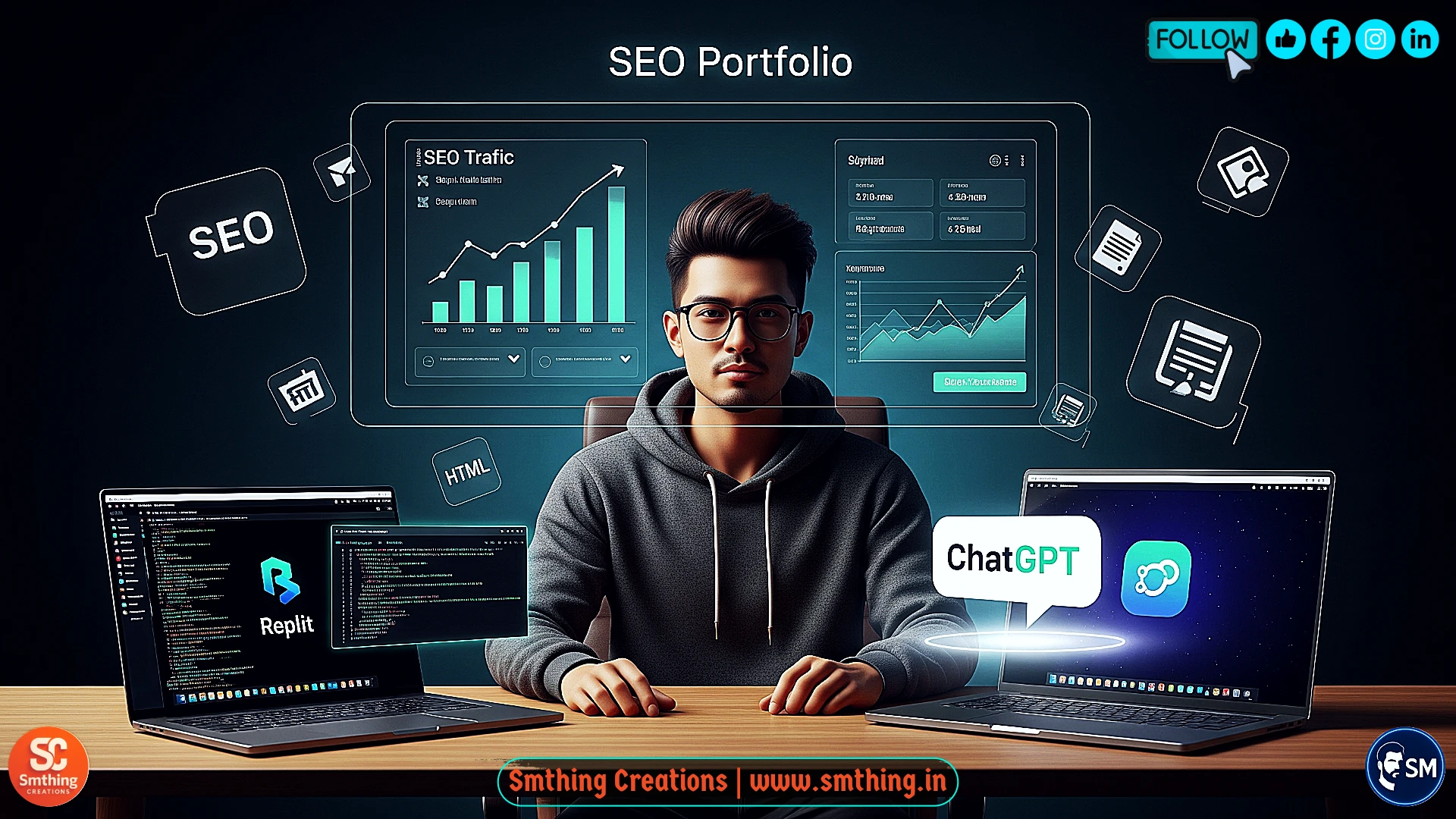
The Portfolio Crisis That Almost Stopped My Career
Six months ago, I was trapped in one of the most frustrating catch-22 situations that plague creative professionals and freelancers worldwide: I desperately needed a professional portfolio to showcase my work and attract better opportunities, but every path to creating one seemed either financially impossible or technically overwhelming. The traditional route of hiring a professional web developer meant spending between two thousand and five thousand dollars, which I simply didn't have as a struggling freelancer trying to build my client base and establish credibility in a competitive market.
The alternative advice that everyone seemed to offer was "just learn to code," which sounded reasonable in theory but felt completely unrealistic when you're already working full-time to pay bills, managing existing clients, and trying to maintain some semblance of work-life balance. The prospect of spending months working through coding bootcamps, online tutorials, and technical documentation while my competitors were actively building their businesses and securing the opportunities I needed seemed like a recipe for falling further behind rather than catching up.
Website builders like Wix, Squarespace, and WordPress.com offered middle-ground solutions, but each came with significant limitations that made them feel like expensive compromises rather than professional solutions. The monthly subscription costs added up quickly when you factored in premium themes, advanced features, and custom domain hosting, while the SEO performance was often terrible due to bloated code and limited customization options that prevented effective search engine optimization.
I felt stuck in a cycle of professional limitation where the very tool I needed to advance my career seemed permanently out of reach due to financial and technical barriers. The frustration was compounded by watching competitors with professional websites land clients and opportunities while I struggled to present my work effectively through scattered social media profiles and basic resume formats that didn't showcase my capabilities or communicate my value proposition to potential clients.
The Discovery That Changed Everything
The breakthrough came when I realized I was approaching the problem from the wrong angle entirely. Instead of trying to become a coding expert overnight or spending money I didn't have on professional development services, I needed to find tools that could bridge the gap between my creative vision and technical implementation without requiring years of learning or thousands of dollars in investment. That's when I discovered the powerful combination of Replit as a development environment and ChatGPT as an AI coding assistant.
Replit represented a fundamental shift from traditional web development workflows that require complex software installations, version control systems, and local development environments that often break or require constant maintenance and updates. Instead, Replit provides a complete development environment that runs entirely in your web browser, similar to how Google Docs revolutionized document creation by eliminating the need for expensive software installations and compatibility issues between different computer systems and operating systems.
The platform offers immediate visual feedback as you code, allowing you to see changes in real-time without the compilation steps, deployment processes, or technical setup procedures that typically intimidate beginners and consume valuable time that could be spent on actual creative work. This instant feedback loop transforms web development from a mysterious technical process into an intuitive creative activity where you can experiment, learn from mistakes, and iterate quickly without fear of breaking something permanently or losing hours of work.
ChatGPT served as the missing piece of this development puzzle by functioning as a patient, knowledgeable coding mentor who could explain concepts clearly, generate clean code based on natural language descriptions, and help troubleshoot problems without the condescension or impatience that sometimes characterizes online programming communities. Instead of spending hours searching through technical documentation or Stack Overflow threads, I could describe what I wanted to achieve in plain English and receive working code examples with explanations that helped me understand the underlying principles.
Why Replit Outperformed Traditional Development Tools
Eliminating Technical Barriers and Setup Complexity
Before settling on Replit as my primary development platform, I attempted to follow the conventional advice that most coding tutorials and bootcamps recommend: using Visual Studio Code with GitHub for version control and project management. This traditional workflow immediately presented overwhelming technical challenges that had nothing to do with actual web development but everything to do with software configuration, environment setup, and tool coordination that consumed hours before I could write a single line of useful code.
The GitHub workflow required understanding complex concepts like repositories, branches, commits, merges, and pull requests that are essential for team development but unnecessarily complicated for individual portfolio projects. Setting up local development environments meant dealing with package managers, dependency conflicts, browser compatibility testing, and deployment procedures that felt like learning multiple technical specialties simultaneously rather than focusing on the core skills needed to build an effective portfolio website.
Replit eliminated these barriers by providing a complete, integrated development experience that works immediately after creating a free account. The platform handles version control automatically, provides built-in hosting and deployment with a single click, and includes collaborative features that allow real-time sharing and feedback without requiring additional tools or complex setup procedures. This streamlined approach meant I could focus on learning web development fundamentals and creating content rather than wrestling with toolchain configuration and environment management.
The browser-based nature of Replit also solved the cross-platform compatibility issues that often plague local development environments. Whether I was working on a laptop, desktop, or different operating systems, my development environment remained consistent and accessible without software installations, license management, or performance optimization that typically slow down creative workflows and discourage experimentation with new ideas and approaches.
Real-Time Feedback and Learning Acceleration
One of Replit's most valuable features for portfolio development is the instant visual feedback that shows exactly how code changes affect the final website appearance and functionality. Traditional development workflows often involve writing code in one application, switching to a browser to test changes, refreshing pages to see updates, and potentially dealing with caching issues that make it difficult to see whether changes are working correctly or if problems are caused by browser cache rather than code errors.
Replit's integrated preview updates automatically as you type, creating a dynamic relationship between code and visual output that makes learning web development feel more like graphic design than abstract programming. This immediate feedback encourages experimentation and rapid iteration because you can try different approaches quickly without losing momentum to technical setup or deployment procedures that interrupt creative flow and make it difficult to maintain focus on design and user experience goals.
The platform's collaborative features also proved valuable for getting feedback and assistance during the development process. Instead of trying to describe problems through screenshots or complex explanations, I could share live links to my portfolio with friends, mentors, or potential clients who could interact with the actual website and provide specific, actionable feedback about functionality, design, and user experience rather than abstract suggestions based on static mockups or descriptions.
Leveraging ChatGPT as a Personal Development Mentor
ChatGPT transformed the traditionally frustrating experience of learning web development from a series of technical obstacles and confusing documentation into conversational problem-solving sessions that felt more like working with an experienced colleague than struggling through impersonal tutorials. Instead of memorizing syntax rules, CSS properties, or JavaScript functions, I could focus on describing what I wanted to achieve and understanding how the AI's solutions worked to solve specific design and functionality challenges.
The AI's ability to generate clean, semantic HTML code based on natural language descriptions proved invaluable for creating portfolio sections that not only looked professional but also followed SEO best practices that would help the site rank well in search engines. For example, when I needed a hero section that would make a strong first impression, I could tell ChatGPT: "Create a hero section for a creative professional's portfolio that includes my name, professional title, brief value proposition, and call-to-action button, optimized for both visual impact and search engine visibility."
The AI would provide complete code examples with proper HTML structure, CSS styling, and explanations of why certain approaches work better than alternatives for both user experience and technical performance. This educational approach meant I wasn't just copying code blindly but actually learning principles and techniques that I could apply to other sections of my portfolio and future web development projects. The AI consistently explained the reasoning behind its suggestions, helping me develop intuition about effective web development practices.
Perhaps most importantly, ChatGPT never exhibited the impatience or condescension that can make learning from human mentors or online communities feel intimidating or discouraging. I could ask follow-up questions, request alternative approaches, or admit confusion without feeling judged, creating a safe learning environment that encouraged experimentation and gradual skill development rather than the all-or-nothing pressure that often accompanies traditional coding education.
Building SEO Foundation from Day One
Strategic Approach to Search Engine Optimization
The most critical decision I made during portfolio development was prioritizing search engine optimization from the very beginning rather than treating SEO as an afterthought to be addressed after completing the visual design and content creation. This strategic approach meant that every code decision, content choice, and structural element was evaluated not just for visual appeal and user experience, but also for how it would affect the site's ability to rank well in Google search results and attract organic traffic from potential clients and employers.
ChatGPT proved invaluable for implementing proper semantic HTML structure that communicates clearly with search engine algorithms while maintaining clean, readable code that loads quickly and functions reliably across different browsers and devices. The AI helped me understand the importance of heading hierarchies, where H1 tags should introduce the main topic of each page, H2 tags organize major sections, and H3 tags provide detailed subsection organization that helps both users and search engines understand content structure and topical relationships.
Meta descriptions, title tags, and alt text for images became integral parts of my content creation process rather than technical afterthoughts that might be forgotten or implemented inconsistently. ChatGPT helped craft compelling meta descriptions that accurately summarized page content while incorporating relevant keywords naturally and staying within the character limits that ensure complete visibility in search results. This attention to technical SEO details from the beginning created a solid foundation that would support long-term organic traffic growth.
The AI also guided me in creating clean URL structures, proper internal linking strategies, and content organization that supports both user navigation and search engine crawling efficiency. These technical optimizations might seem minor individually, but they combine to create significant advantages in search rankings and user experience that compound over time as the portfolio attracts more visitors and builds authority in search algorithms.
Content Optimization for Human Readers and Search Algorithms
Creating content that appeals to both human visitors and search engine algorithms requires a delicate balance between natural, engaging writing and strategic keyword incorporation that supports search visibility without compromising readability or authenticity. ChatGPT excelled at helping me achieve this balance by generating content that naturally included relevant professional keywords while maintaining the conversational, authentic tone that builds trust and connection with potential clients.
The AI's understanding of search intent meant that my portfolio content addressed the specific questions and concerns that potential clients might have when evaluating freelancers or creative professionals. Instead of generic biographical information or vague skill listings, my About section addressed client pain points and clearly communicated how my services could solve specific business problems while naturally incorporating keywords like "freelance designer," "creative professional," and location-specific terms that would help local clients find my services.
Project descriptions followed similar optimization principles, using language that potential clients would use when searching for similar work while providing enough detail to demonstrate expertise and results. ChatGPT helped me structure case studies that told compelling stories about client challenges, creative solutions, and measurable outcomes while incorporating industry-specific keywords that would attract relevant search traffic and qualified leads.
Technical Performance Optimization for Real-World Results
While visual design and content quality are essential for portfolio success, technical performance optimization often determines whether visitors stay long enough to appreciate your work or abandon the site due to slow loading times, poor mobile experience, or functionality issues that create negative first impressions. Replit's built-in optimization features handle many performance considerations automatically, but strategic decisions about code structure, image management, and resource loading can significantly impact user experience and search engine rankings.
Image optimization emerged as one of the most impactful performance improvements I could implement with minimal technical complexity. Using free online tools like TinyPNG and Squoosh, I compressed portfolio images without visible quality loss while dramatically reducing file sizes that affect loading speed. ChatGPT helped me understand optimal image formats for different use cases, with WebP format providing superior compression for modern browsers while maintaining JPEG fallbacks for compatibility with older systems.
CSS and JavaScript optimization involved eliminating unused code, combining multiple files where appropriate, and implementing efficient layout techniques like CSS Grid and Flexbox that provide responsive design capabilities without complex media queries or bloated frameworks. ChatGPT explained how these modern CSS features work and provided clean code examples that achieved professional layouts with minimal code overhead which improves both loading speed and maintainability.
The result was a portfolio that consistently achieved Lighthouse performance scores above 95 out of 100, putting it ahead of many professionally developed websites in terms of technical performance. This superior performance contributes directly to search engine rankings, user experience metrics, and the professional impression that the portfolio makes on potential clients who expect modern, fast-loading websites that work perfectly on all devices.
Measurable Results and Business Impact
Three weeks after launching my SEO-optimized portfolio, the tangible results began appearing in ways that validated the strategic approach and technical investment I had made in the project. Google Search Console showed that my portfolio was appearing on the first page of search results for my name plus portfolio-related keywords, and it began ranking for broader professional terms like "freelance designer" combined with my geographic location, attracting local clients who were actively searching for creative services.
The organic traffic was initially modest but highly targeted, consisting primarily of potential clients who were actively researching creative professionals rather than casual browsers who might not be ready to hire services. This qualified traffic translated into meaningful business outcomes, including increased LinkedIn profile views, direct inquiries through the portfolio contact form, and concrete freelance project opportunities that directly resulted from the portfolio's search visibility and professional presentation.
Within two months of launch, the portfolio had generated its first paid project worth $2,400, representing a return on investment of over 8,900% based on my minimal monthly costs for premium platform features. More importantly, having a professional online presence fundamentally changed my confidence in networking situations, client presentations, and professional discussions, where I could confidently direct people to view my work rather than making excuses about not having a proper website or trying to showcase projects through inadequate social media profiles.
The psychological impact of this transformation was as significant as the business results. Six months earlier, I had felt like an impostor trying to compete in a digital marketplace without proper credentials or technical skills. The portfolio became proof that creative problem-solving and strategic tool selection could overcome traditional barriers to professional presentation and business development, building confidence that extended beyond web development into other areas of professional growth and opportunity creation.
Common Pitfalls and How to Avoid Them
Design Perfectionism That Prevents Progress
One of the most significant mistakes I made during early portfolio development was falling into the perfectionism trap that prevents many creative professionals from completing and launching projects. I spent an entire week obsessing over color scheme selection, typography choices, and visual details that had minimal impact on the portfolio's effectiveness while delaying work on content creation and SEO optimization that would actually determine whether the portfolio succeeded in attracting clients and opportunities.
ChatGPT helped me realize that clean, simple designs often outperform complex, heavily designed portfolios because they load faster, focus attention on actual work samples, and appeal to a broader range of clients who may have different aesthetic preferences. The AI guided me toward design principles that prioritize functionality and user experience over visual complexity, resulting in a portfolio that looked professional without being overly stylized or distracting from the content that visitors came to see.
The lesson learned was to establish "good enough" design standards early in the development process and stick to them rather than continuously refining visual elements that could be optimized later based on actual user feedback and performance data. This approach allows for faster launch timelines and earlier feedback collection that provides more valuable guidance than internal design speculation about what might look better or more impressive.
Mobile Experience Neglect
Another critical error that could have severely limited the portfolio's effectiveness was initially focusing exclusively on desktop design without adequately testing and optimizing the mobile experience. Since over 60% of web traffic now comes from mobile devices, and Google uses mobile-first indexing for search rankings, poor mobile performance would have undermined both user experience and search engine optimization regardless of how impressive the desktop version might have appeared.
Replit's built-in mobile preview feature made it easy to catch and correct mobile usability issues, but I initially overlooked the importance of testing on actual mobile devices rather than relying solely on browser simulation tools. Real device testing revealed touch target sizing issues, text readability problems, and navigation challenges that weren't apparent in simulated mobile views but would have frustrated real visitors and damaged the professional impression that the portfolio was designed to create.
The solution involved implementing mobile-first design principles from the beginning, starting with layouts that worked perfectly on smartphones and then enhancing them for larger screens rather than trying to retrofit desktop designs for mobile compatibility. ChatGPT provided responsive design techniques and CSS media queries that ensured optimal experiences across all device types without requiring separate mobile versions or complex adaptive systems.
Weak Call-to-Action Implementation
Perhaps the most business-critical mistake was initially implementing generic, uninspiring call-to-action buttons that failed to motivate visitors to take the next step toward becoming clients or collaborators. Standard phrases like "Contact Me" or "Get In Touch" blend into the background of most websites and don't communicate compelling value propositions or clear next steps that make it easy for interested visitors to engage with your services effectively.
ChatGPT helped me craft more compelling, specific calls-to-action that addressed potential clients' mindset and motivation when visiting portfolios. Instead of generic contact requests, I used phrases like "Let's Discuss Your Project," "Start Your Creative Journey," or "See How I Can Help Your Business" that implied collaboration, mutual benefit, and specific value rather than one-sided requests for attention or consideration.
The improved calls-to-action also included strategic placement throughout the portfolio rather than relegating contact opportunities to a single page or section. By providing multiple, contextually relevant opportunities for visitors to engage at different stages of their evaluation process, the portfolio became more effective at converting interest into actual business inquiries and project opportunities.
Cost Analysis: Professional Results on a Minimal Budget
The financial comparison between traditional portfolio development approaches and the AI-assisted methodology I used reveals dramatic differences in both upfront costs and ongoing expenses that make professional web presence accessible to creators and freelancers regardless of their current financial situation. Traditional custom web development for a professional portfolio typically costs between $2,000 and $5,000 for initial development, plus $100 to $300 per revision, and $50 to $200 monthly for hosting and maintenance that accumulates to thousands of dollars annually.
My Replit and ChatGPT approach required minimal financial investment while delivering superior results in terms of performance, SEO optimization, and customization flexibility. Replit Pro costs $7 monthly and provides enhanced performance, custom domains, and additional storage, while ChatGPT Plus at $20 monthly offers faster response times and priority access during peak usage periods. A custom domain through services like Namecheap or GoDaddy costs approximately $12 annually.
The total monthly cost of $27 represents less than most people spend on streaming services or coffee subscriptions, yet it provides access to professional-grade development tools and AI assistance that can create business opportunities worth thousands of dollars. This minimal investment removes financial barriers that prevent many talented professionals from establishing an effective online presence, democratizing access to the digital marketing tools that are essential for modern business success.
The return on investment becomes apparent quickly when the portfolio starts attracting client inquiries and project opportunities. My first portfolio-generated project, worth $2,400, represented nearly two years of platform costs, while subsequent opportunities continued building on that initial success without additional marketing expenses or advertising costs that traditional client acquisition methods typically require.
Advanced SEO Strategies for Competitive Advantage
After mastering the fundamental SEO techniques that ensured my portfolio would be discoverable in search results, I implemented advanced optimization strategies that ChatGPT suggested to help the portfolio compete effectively against more established websites and professionally developed competitor portfolios in search rankings. These advanced techniques required minimal additional technical complexity but provided substantial improvements in search visibility and organic traffic quality.
Schema markup implementation became one of the most impactful advanced optimizations, providing search engines with structured data that enables rich snippets, enhanced search result displays, and a better understanding of portfolio content relationships. ChatGPT generated specific schema markup code for creative professionals that helped my portfolio appear with enhanced search result features like star ratings, portfolio samples, and contact information directly in Google search results.
Internal linking strategy development created a web of topical relationships between different portfolio sections that helped search engines understand the depth and expertise demonstrated across various projects and skill areas. Rather than treating each portfolio page as an isolated entity, strategic internal linking created a coherent narrative that supported authority building and improved search rankings for both specific projects and broader professional keywords.
Regular content updates and portfolio additions maintained search engine interest and demonstrated ongoing professional activity that algorithms favor when determining which websites deserve prominent placement in search results. ChatGPT helped me develop a content calendar that included blog posts about creative processes, case study updates, and industry insights that provided value for visitors while supporting SEO goals through fresh, relevant content creation.
Step-by-Step Implementation Guide
Phase One: Foundation and Planning
Successful portfolio development begins with strategic planning that defines the target audience, competitive positioning, and specific goals that will guide every subsequent design and content decision. Rather than jumping immediately into visual design or technical implementation, spend time researching competitors, analyzing successful portfolios in your field, and clearly defining the unique value proposition that your portfolio should communicate to potential clients and employers.
Use ChatGPT to brainstorm portfolio structure and content strategy by describing your professional background, target clients, and business objectives. The AI can provide insights about effective portfolio organization, essential sections to include, and content approaches that resonate with different types of clients. This strategic foundation prevents scope creep and ensures that development effort focuses on elements that will actually contribute to business success rather than impressive but ineffective features.
Create detailed outlines for each portfolio section, including About, Services, Projects, Testimonials, and Contact pages that address specific client concerns and questions. ChatGPT can help develop content that tells compelling stories about your professional journey while incorporating relevant keywords and search terms that potential clients use when researching creative services in your industry and geographic area.
Phase Two: Technical Setup and Development
Begin technical implementation by creating a free Replit account and selecting the HTML, CSS, JavaScript template that provides the foundation for portfolio development. Familiarize yourself with the Replit interface including the code editor, live preview functionality, file management system, and deployment options that will become essential tools throughout the development process.
Work with ChatGPT to create a semantic HTML structure that follows SEO best practices while providing clean, accessible code that works reliably across different browsers and devices. Start with the homepage hero section and navigation elements before expanding to individual portfolio pages and project showcases. Focus on proper heading hierarchy, meaningful alt text for images, and clean URL structure that supports both user experience and search engine optimization.
Implement responsive design principles from the beginning using CSS Grid and Flexbox techniques that ChatGPT can explain and provide code examples for. Test mobile compatibility frequently using Replit's preview tools and make adjustments as needed to ensure optimal performance across all device types and screen sizes that your target audience might use to access your portfolio.
Phase Three: Content Creation and Optimization
Develop compelling content for each portfolio section that balances professional credibility with personal authenticity while incorporating relevant keywords and phrases that support search engine optimization goals. Use ChatGPT to help craft project descriptions that tell engaging stories about client challenges, creative solutions, and measurable results while demonstrating expertise and problem-solving capabilities that potential clients value.
Create comprehensive case studies for your best projects that provide detailed insight into your creative process, technical skills, and ability to deliver results that exceed client expectations. Include before-and-after examples, client testimonials, and specific metrics whenever possible to build credibility and demonstrate the tangible value that your services provide to businesses and organizations.
Optimize all content for both human readers and search engines by naturally incorporating relevant professional keywords while maintaining readability and authenticity that builds trust with potential clients. Use ChatGPT to help balance keyword optimization with compelling storytelling that engages visitors and motivates them to contact you about potential projects and collaboration opportunities.